In large organizations, employees handle thousands of documents every day, including contracts, invoices, employee records, financial reports, compliance documents, and operational files. Finding the right document at the right time can become a major challenge when information is scattered across multiple folders, departments, email accounts, and storage systems.
Slow document retrieval does more than waste employees’ time. It can delay business decisions, affect customer service, reduce productivity, and create compliance risks.
Organizations need a structured approach to storing, organizing, and accessing business information. Implementing the right Document Management Software (DMS) can significantly reduce document retrieval time while improving operational efficiency.
Let’s explore practical ways to make document retrieval faster and more efficient.
1. Centralize Document Storage
One of the biggest reasons employees struggle to find documents is that files are stored in different locations. Some documents may be saved on local computers, others on shared network drives, cloud storage platforms, or email attachments.
This scattered storage makes it difficult to identify the latest version or locate important information quickly.
A centralized document repository provides employees with a single location to access business documents. Instead of searching through multiple systems, authorized users can find files through one platform.
A centralized system also improves collaboration between departments and reduces duplicate document storage.
2. Implement Document Management Software
Manually managing thousands of business documents becomes increasingly difficult as an organization grows.
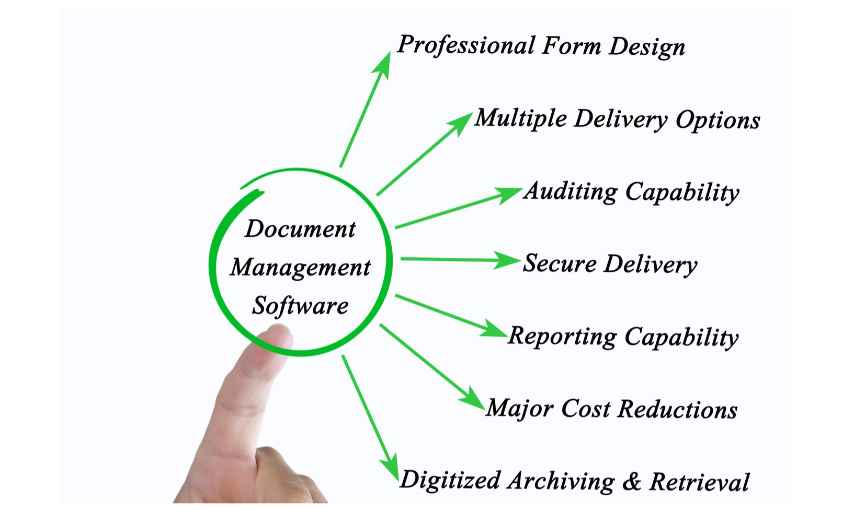
Document Management Software helps businesses digitize, organize, store, retrieve, and manage documents through a structured platform.
Modern DMS solutions offer features that simplify document retrieval, including:
- Advanced document search and filtering.
- Metadata-based document classification.
- Full-text search capabilities.
- Role-based access permissions.
- Document version control.
- Automated document indexing.
- Centralized document repositories.
With these capabilities, employees can locate relevant documents without manually browsing through hundreds of folders.
A reliable document management system also helps organizations maintain better control over their information throughout its lifecycle.
3. Use Metadata and Document Indexing
Searching for documents using only file names can be inefficient, particularly when employees do not remember the exact name of a file.
Metadata makes document retrieval easier by attaching relevant information to each document.
For example, an invoice may contain metadata such as:
- Invoice number.
- Vendor name.
- Invoice date.
- Department.
- Document category.
- Payment status.
Employees can use these attributes to find the required document without knowing its exact file name.
Automated document indexing can further improve this process by capturing relevant information and making documents searchable.
Organizations that manage large volumes of invoices, contracts, HR records, and compliance documents can benefit significantly from metadata-based indexing.
4. Enable Advanced Search and Full-Text Search
A basic search function may not be sufficient for organizations handling thousands or millions of files.
Advanced search capabilities allow employees to search using multiple criteria, such as document type, date, department, keywords, author, or reference number.
Full-text search takes this further by allowing users to search for words and phrases within document content.
For example, an employee looking for a specific agreement could search for a company name or contract clause rather than remembering the document’s file name.
Some modern document management platforms also support Optical Character Recognition (OCR), which converts scanned documents and image-based PDFs into searchable text.
Combining advanced search, OCR, and indexing can significantly reduce the time required to locate business information.
5. Establish a Standardized Folder Structure
An inconsistent folder structure creates confusion and makes document retrieval unnecessarily complicated.
Different departments may follow different naming conventions, storage practices, and folder hierarchies. This makes it difficult for employees to understand where documents should be stored.
Organizations should establish standardized document organization policies.
For example:
Department → Document Category → Financial Year → Document Name
A consistent structure helps employees understand where files belong and makes navigation easier.
However, folder structures should not become excessively complicated. Combining a simple hierarchy with metadata and advanced search provides a more scalable approach.
6. Implement Document Version Control
Employees sometimes waste time searching for documents because multiple versions of the same file exist.
For example, a contract may have several versions saved with names such as:
- Contract_Final.docx
- Contract_Final_Updated.docx
- Contract_Final_Updated_2.docx
This creates confusion about which document is accurate and approved.
Document version control solves this problem by maintaining a structured history of document changes.
Employees can identify the latest version, review previous revisions, and understand who modified a document.
This reduces duplication, prevents the use of outdated information, and makes document retrieval more reliable.
7. Automate Document Classification and Workflows
Manual document classification can become time-consuming when organizations process large volumes of incoming files.
Document automation can simplify this process by automatically categorizing documents based on predefined rules or extracted information.
For example, incoming invoices can be classified under the finance department, while employee records can be stored in the appropriate HR category.
Workflow automation can also route documents to the relevant employees for review, approval, or further processing.
When documents are automatically classified and routed, employees spend less time organizing files and more time performing important business activities.
8. Set Up Role-Based Access Controls
Fast document retrieval should never compromise information security.
In large organizations, not every employee needs access to every document. Financial records, confidential contracts, employee information, and legal documents may require restricted access.
Role-based access control allows organizations to assign document permissions according to employee roles and responsibilities.
When permissions are properly configured, employees can quickly access the documents they are authorized to view without exposing confidential information.
A well-designed DMS combines efficient retrieval with appropriate security controls and audit trails.
9. Train Employees on Document Management Practices
Even the best document management system may deliver limited results if employees do not understand how to use it.
Organizations should provide training on document naming conventions, metadata tagging, search filters, folder structures, and document-sharing policies.
Employees should also understand where to upload documents and how to retrieve the correct versions.
Regular training encourages consistent document management practices across departments and improves the overall effectiveness of the system.
10. Monitor Document Retrieval Performance
Reducing document retrieval time should be an ongoing organizational objective.
Businesses should regularly monitor how efficiently employees can find and access important documents.
Useful performance indicators include:
- Average document retrieval time.
- Number of duplicate documents.
- Search success rates.
- Document access frequency.
- Time spent on manual filing.
- Document processing and approval time.
Reviewing these metrics helps organizations identify bottlenecks and improve their document management processes.
Conclusion
Slow document retrieval can create significant productivity challenges in large organizations. Scattered storage, inconsistent naming conventions, manual filing, duplicate documents, and inefficient search processes all contribute to delays.
Centralizing document storage, implementing metadata-based indexing, enabling advanced search, maintaining version control, and automating document workflows can make information easier to find and manage.
Document Management Software provides a practical foundation for faster document retrieval and more efficient business operations. By adopting a structured digital document management strategy, organizations can reduce administrative effort, improve collaboration, and ensure employees have timely access to the information they need.
If your organization is still relying on manual document filing and disconnected storage systems, investing in a modern document management solution can be an important step toward building a more productive and paperless workplace.