Every business handles a large volume of documents daily, including invoices, contracts, employee records, purchase orders, customer forms, reports, and compliance documents. Managing these documents manually can be time-consuming, particularly when files are spread across emails, shared drives, filing cabinets, and different departments. Finding the right document, obtaining approvals, tracking revisions, and ensuring that sensitive information remains secure can quickly become challenging.
A document management workflow helps organisations manage documents through a structured process, from creation and collection to review, approval, storage, and archiving. Instead of relying on manual follow-ups and disconnected systems, businesses can use a document management system (DMS) to automate repetitive tasks, organise information, and improve collaboration.
But what exactly is a document management workflow, and how does it work? This guide explains its key stages, benefits, common challenges, and the role of automation in making document management more efficient.
What Is a Document Management Workflow?
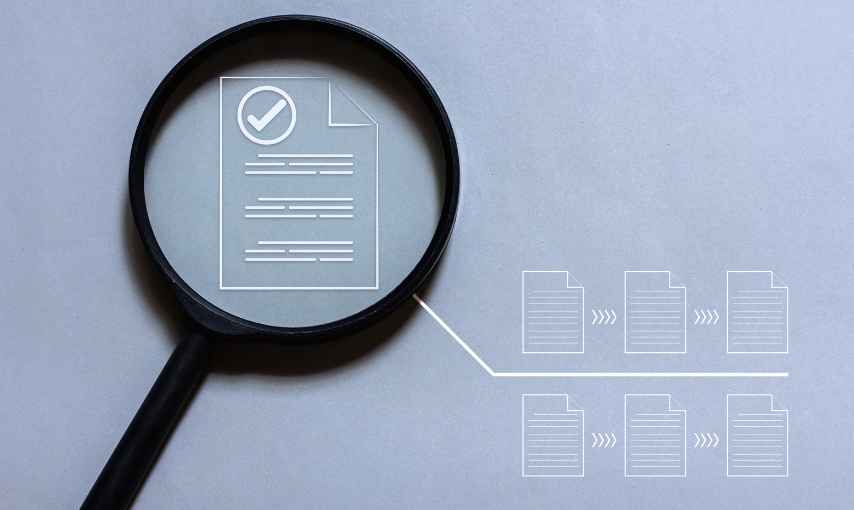
A document management workflow is a predefined sequence of steps that determines how documents are created, captured, organised, reviewed, approved, shared, stored, and eventually archived or deleted.
It establishes who is responsible for each task, what actions are required, and what happens when a particular step is completed. For example, when an employee submits an expense claim, the workflow might automatically send it to the department manager for approval. Once approved, the claim can move to the finance team for processing and recordkeeping.
A document management workflow can be managed manually, through basic digital tools, or through an automated document management system.
A modern DMS can combine document storage, metadata management, access permissions, version control, search functionality, and workflow automation within a single platform. This helps businesses maintain better control over their documents while reducing unnecessary administrative work.
How Does a Document Management Workflow Work?
A document management workflow follows a series of connected stages. Although the exact process varies depending on the organisation and document type, most workflows include the following steps.
1. Document Creation or Capture
The workflow begins when a document enters the system. Documents may be created internally, received from customers or suppliers, uploaded through a portal, or collected from email attachments.
For physical documents, scanning and Optical Character Recognition (OCR) can convert paper records into searchable digital files. OCR technology extracts readable text from scanned documents, making it easier to find relevant information without manually reviewing every page.
For example, an accounts department may receive hundreds of supplier invoices through email. A document management system can capture these invoices and prepare them for further processing.
The goal of this stage is to bring documents into a centralised environment where they can be managed consistently.
2. Document Classification and Indexing
After capture, documents need to be classified and indexed so users can identify and retrieve them easily.
Classification involves assigning a document to the appropriate category, such as invoices, contracts, employee records, or customer applications. Indexing adds identifying information, known as metadata, including document type, supplier name, invoice number, creation date, department, or customer ID.
Some systems allow users to enter metadata manually, while more advanced solutions can extract information automatically using OCR, templates, and intelligent document processing.
For example, an invoice can be identified using its supplier name, invoice number, and payment due date. Users can then search for the document using these details instead of browsing through folders.
Accurate classification and indexing improve searchability, reduce misfiling, and help ensure that documents reach the correct workflow.
3. Document Routing and Assignment
Once a document has been classified, it is routed to the appropriate person or department according to predefined business rules.
For instance, a purchase request might go to a department manager first, followed by the procurement team and finance department. A customer application may require verification by an operations team before being sent to a supervisor.
Workflow automation can assign tasks automatically based on document type, department, approval limits, or other conditions.
The system can also notify the responsible person when an action is required. This reduces the need for employees to forward emails manually or repeatedly ask colleagues for updates.
Clear routing rules help documents reach the right people at the right time, reducing delays and confusion.
4. Document Review and Collaboration
During the review stage, authorised employees examine the document to verify its accuracy, completeness, and compliance with internal requirements.
Reviewers may add comments, suggest changes, request missing information, or return the document to its creator for correction.
A document management system can support collaboration by allowing users to access the same document, review its history, and communicate within a controlled environment.
Version control is particularly important at this stage. It helps distinguish the latest document from previous versions and reduces the risk of employees working with outdated information.
For example, when reviewing a service agreement, the legal team can suggest changes while maintaining a record of revisions. The updated version can then be sent to the relevant stakeholders for further review.
5. Document Approval
After review, the document moves to the approval stage. Depending on the organisation’s rules, approval may be required from one person or several stakeholders.
An automated workflow can send approval requests to the appropriate decision-makers and notify them when documents are waiting for action.
Approval rules may depend on document type, financial value, department, or risk level. For example, a low-value purchase may require only one manager’s approval, while a high-value purchase may need approval from both the department head and finance director.
If a document is rejected, the workflow can return it to the relevant employee for revision. Once the requested changes are made, it can re-enter the approval process.
Digital approval records can help organisations establish who approved a document and when the decision was made. Depending on the system, approvals may also include timestamps, comments, and audit history.
6. Document Storage and Access Control
After approval, the document is stored in the appropriate location within the document management system.
Documents should be organised according to a consistent structure, supported by metadata, categories, and search functionality. This makes information easier to retrieve when employees need it.
Access control is equally important. Not every employee should be able to view or modify every document. A DMS can assign permissions according to job roles, departments, or individual responsibilities.
For example, payroll records may be accessible only to authorised HR and finance personnel, while general company policies can be available to a wider group of employees.
Security measures may include encryption, authentication, access logs, and permission management. Organisations should also establish backup, retention, and recovery procedures to protect important business information.
7. Distribution and Document Sharing
Approved documents often need to be shared with employees, customers, suppliers, or external partners.
A document management workflow helps ensure that the correct version reaches the intended recipient through an authorised channel.
Depending on the system, users may share secure links, grant limited access, send controlled copies, or distribute documents automatically after approval.
For example, once a contract receives final approval, the system can notify the sales team and make the approved version available to the relevant stakeholders.
Controlled sharing reduces the risk of sending incomplete drafts, outdated files, or confidential information to unauthorised recipients.
8. Archiving and Retention Management
Documents do not remain active forever. Once a document is no longer needed for daily operations, it may be moved into an archive according to the organisation’s retention policy.
Archiving keeps records available for future reference, audits, investigations, or legal requirements without cluttering active workspaces.
A document management system can help apply retention schedules, identify records approaching their review dates, and trigger notifications when action is required.
When the retention period expires, documents may be securely deleted if permitted by applicable laws, contractual obligations, and legal holds.
A well-defined retention process helps organisations manage storage efficiently and reduce the risks associated with keeping records longer than necessary.
Key Benefits of a Document Management Workflow
Implementing a structured document management workflow can improve several areas of business operations.
1. Improved productivity: Automated routing, notifications, and approvals reduce repetitive administrative tasks and allow employees to focus on more valuable work.
2. Faster document retrieval: Centralised storage, metadata, and full-text search help employees find the information they need without searching through multiple folders or email conversations.
3. Better accuracy and consistency: Standardised processes reduce manual errors, missing information, duplicate records, and the use of outdated document versions.
4. Stronger security: Role-based permissions and controlled sharing help protect confidential business information from unauthorised access.
5. Greater visibility: Workflow tracking shows where a document is in the process, who is responsible for the next action, and which tasks are delayed.
6. Improved compliance and accountability: Audit trails, approval histories, and retention policies help organisations demonstrate how documents were handled and decisions were made.
7. Reduced operational costs: Digital workflows can reduce printing, physical storage, manual handling, and the time employees spend chasing approvals.
Common Challenges in Document Management Workflows
Despite the benefits, businesses may encounter challenges when implementing document management workflows.
Poor document classification can make information difficult to find. Unclear approval responsibilities can create bottlenecks. Inconsistent naming conventions and duplicate files can reduce data quality. Inadequate access controls may expose sensitive information, while poorly designed workflows can introduce unnecessary steps.
To address these challenges, organisations should define their document processes before automating them. Start by identifying frequently used document types, mapping approval responsibilities, setting access permissions, and establishing consistent naming and retention rules.
It is also important to train employees and review workflow performance regularly. Automation should simplify the process rather than reproduce inefficient manual procedures in digital form.
How a Document Management System Automates the Workflow
A document management system brings the different stages of a document management workflow together in one controlled environment.
Instead of manually moving files between departments, employees can follow predefined workflows that automatically assign tasks, request approvals, send notifications, and update document statuses.
Advanced systems may also use OCR, artificial intelligence, and intelligent document processing to extract information, classify documents, identify missing fields, and support faster processing.
For example, an automated invoice workflow may capture an invoice from an email attachment, extract the supplier name and invoice amount, match the information against a purchase order, and send the invoice for approval. Once approved, it can be forwarded to the finance team for payment processing.
However, automation does not eliminate the need for human oversight. Documents involving complex decisions, exceptions, sensitive information, or legal obligations may still require manual verification and authorised approval.
Solutions such as docEdge by PERICENT can help organisations streamline document management by bringing document handling, workflow automation, and information access into a more structured process. The appropriate solution depends on the organisation’s document volume, integration requirements, security needs, and existing business processes.
Conclusion
A document management workflow provides a structured approach to managing documents throughout their lifecycle, from initial capture and classification to review, approval, storage, distribution, and archiving.
By defining responsibilities and automating repetitive tasks, organisations can reduce delays, improve document accuracy, strengthen information security, and make business records easier to access.
The most effective approach begins with understanding how documents move through the organisation today. Businesses can then standardise their processes, establish clear approval rules, and introduce automation where it offers the greatest value.
As document volumes grow, a well-designed document management workflow supported by a reliable DMS can help organisations improve operational efficiency, maintain accountability, and manage information more effectively.
Looking to streamline your document management processes? Explore how docEdge by PERICENT can help your organisation improve document handling and workflow efficiency. Book a 30-minute free consultation to discuss your document management requirements and identify opportunities for improvement.